
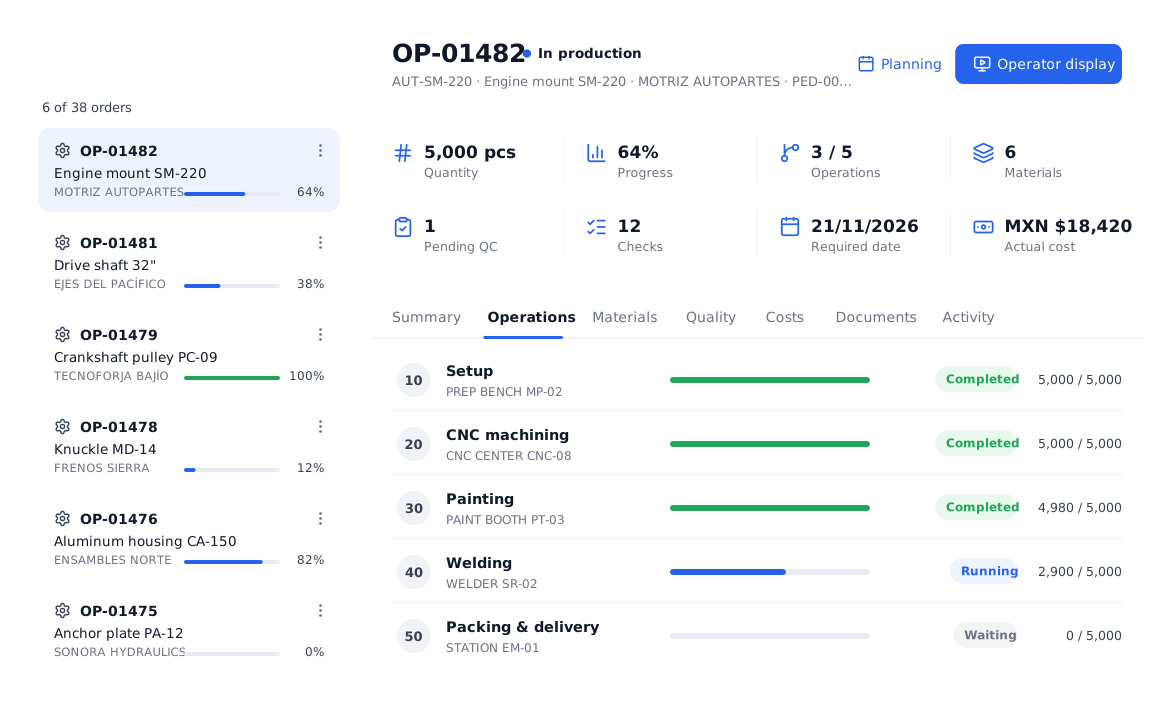
Every order, every step, under control.
Plan, prepare, run and close every production order with full traceability: what is made, for whom, with which materials, on which machine and how much is left.
Designed to be understood at a glance.
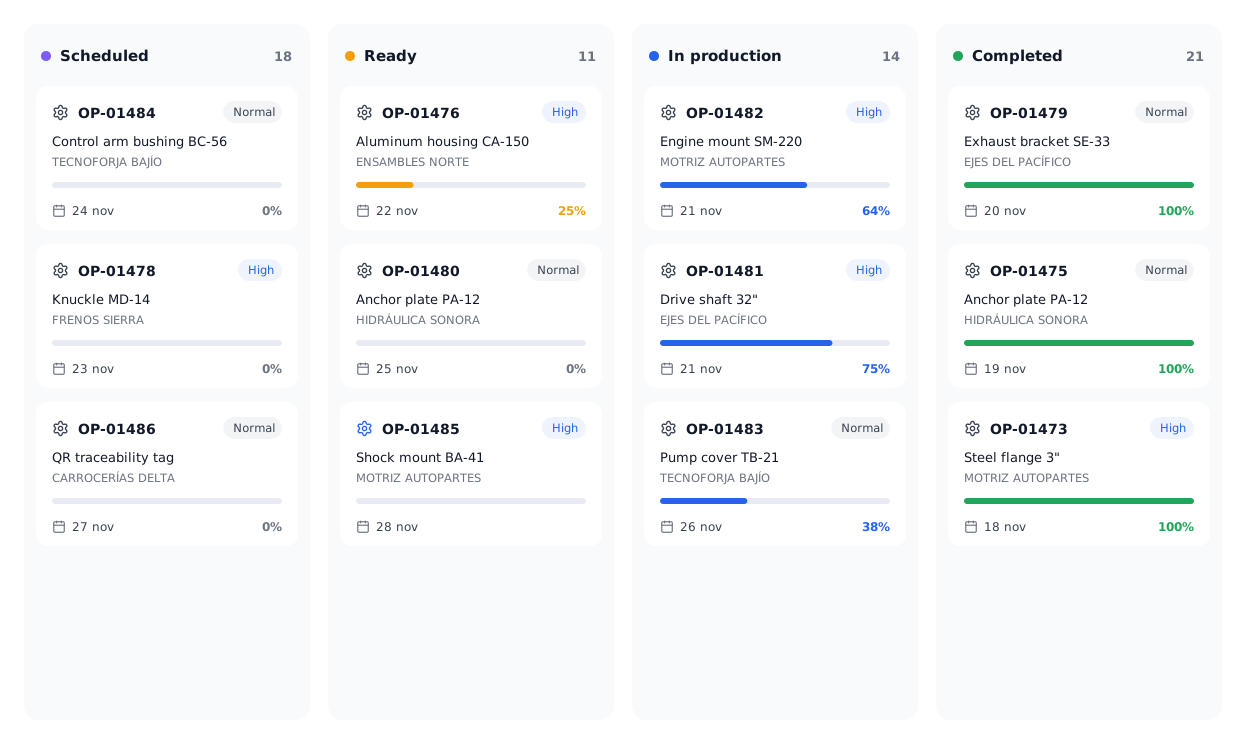
See the order flow the way you prefer.
Switch between list and Kanban. Each column is a real order status: Scheduled, Ready, In production and Completed, with progress, priority and due date.
- Filters by customer, product and status
- Single or multiple PO creation
- Priority and due date at a glance
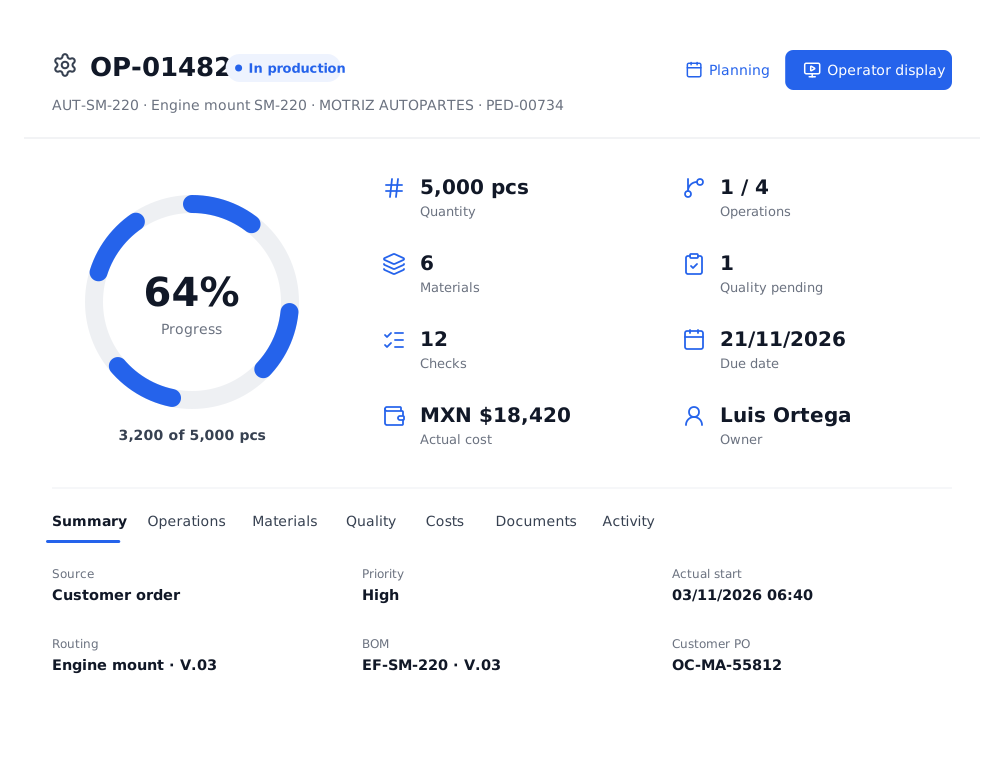
Everything about the order at a glance.
Progress, quantity, completed operations, materials, pending quality, checks, due date and actual cost. With tabs for operations, materials, quality, costs, documents and activity.
- Commercial source: customer, order and PO
- BOM and routing with version
- Planning and Operator display one click away
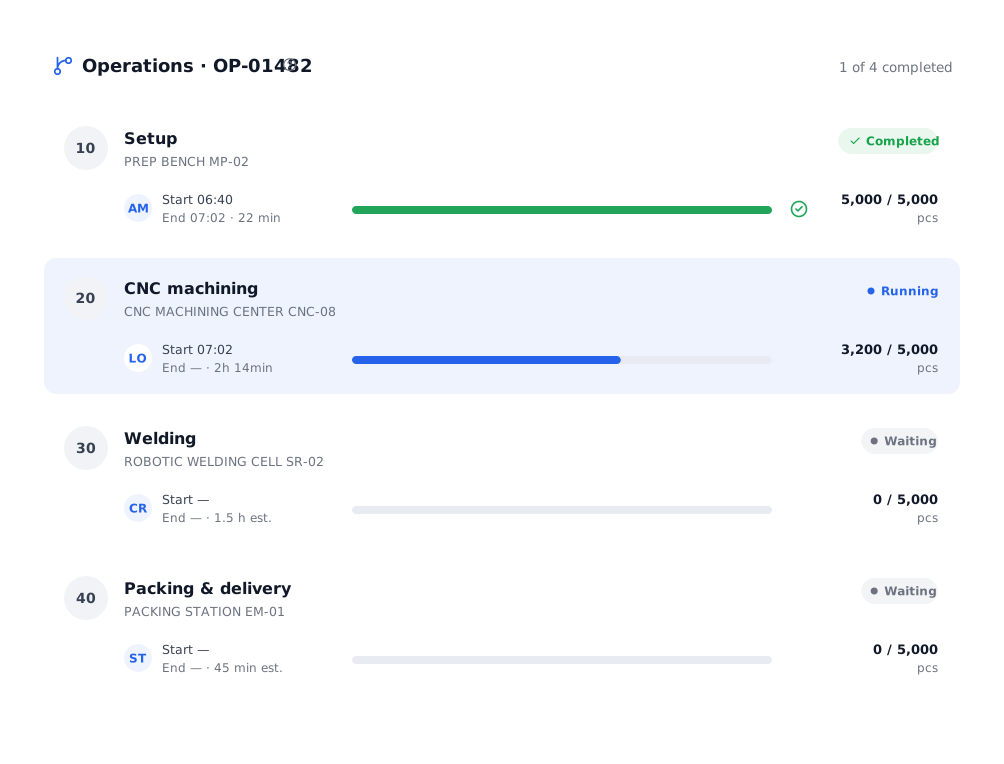
Real progress per operation and machine.
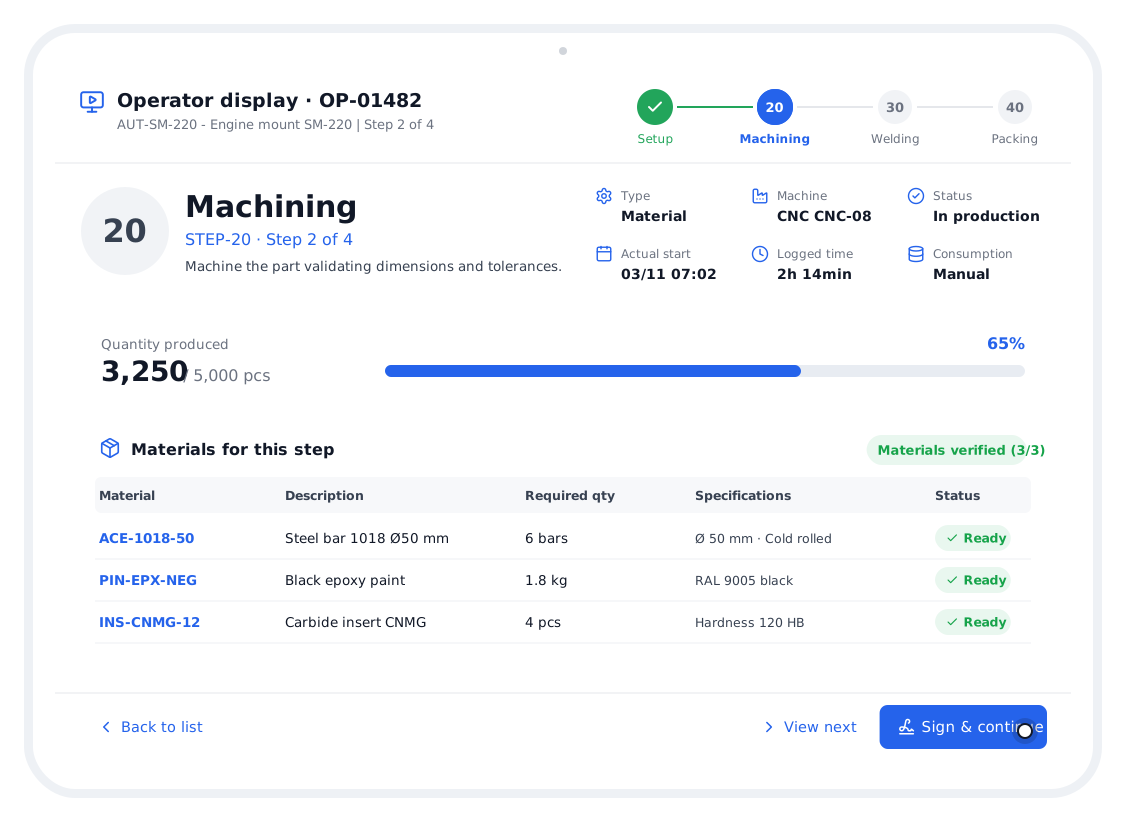
Each routing step shows its machine, operator, start and end time, quantity produced and status: completed, running or waiting.
- Actual versus estimated times
- Quantity per step
- Order activity history
Everything you need in this module.
Planning
Planned start and end per order.
Materials
Required, issued, consumed and scrap.
Quality
Checks and inspections per order.
Costs
Actual cost of each order.
Documents
Order PDF and linked files.
Activity
Who did what and when.
In four steps.
Create the order
From a sales order line or manually.
It builds itself
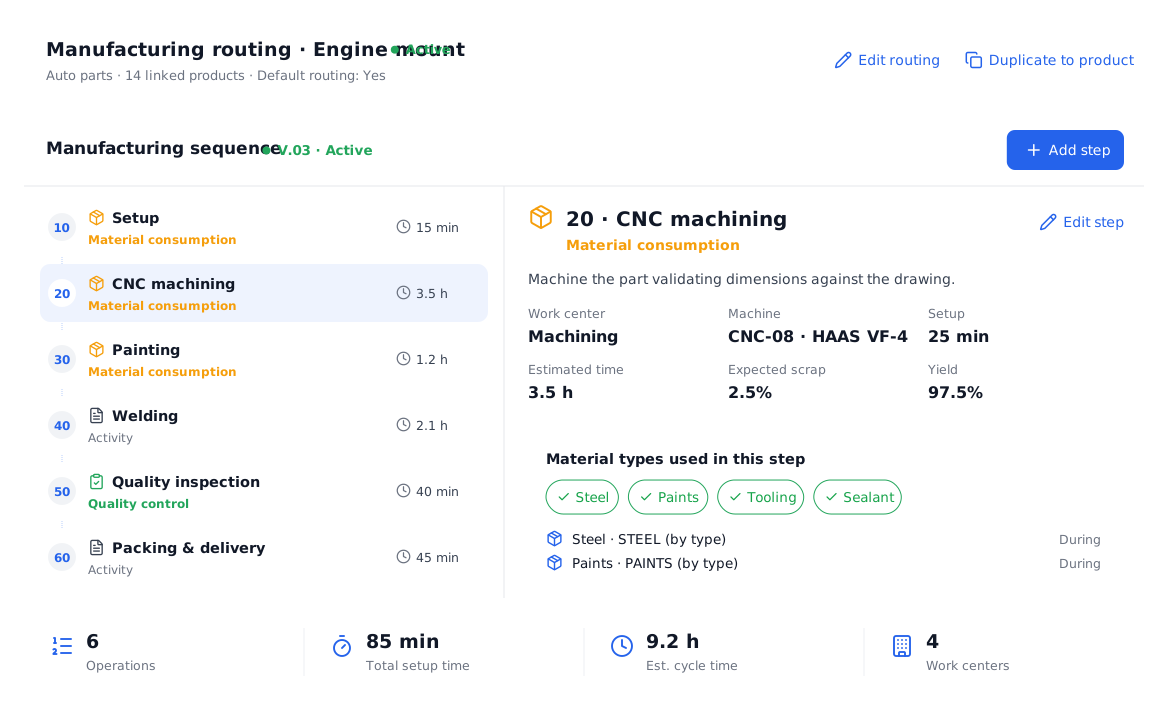
It takes the product BOM and routing.
It runs on the floor
Step by step from the operator display.
It closes with evidence
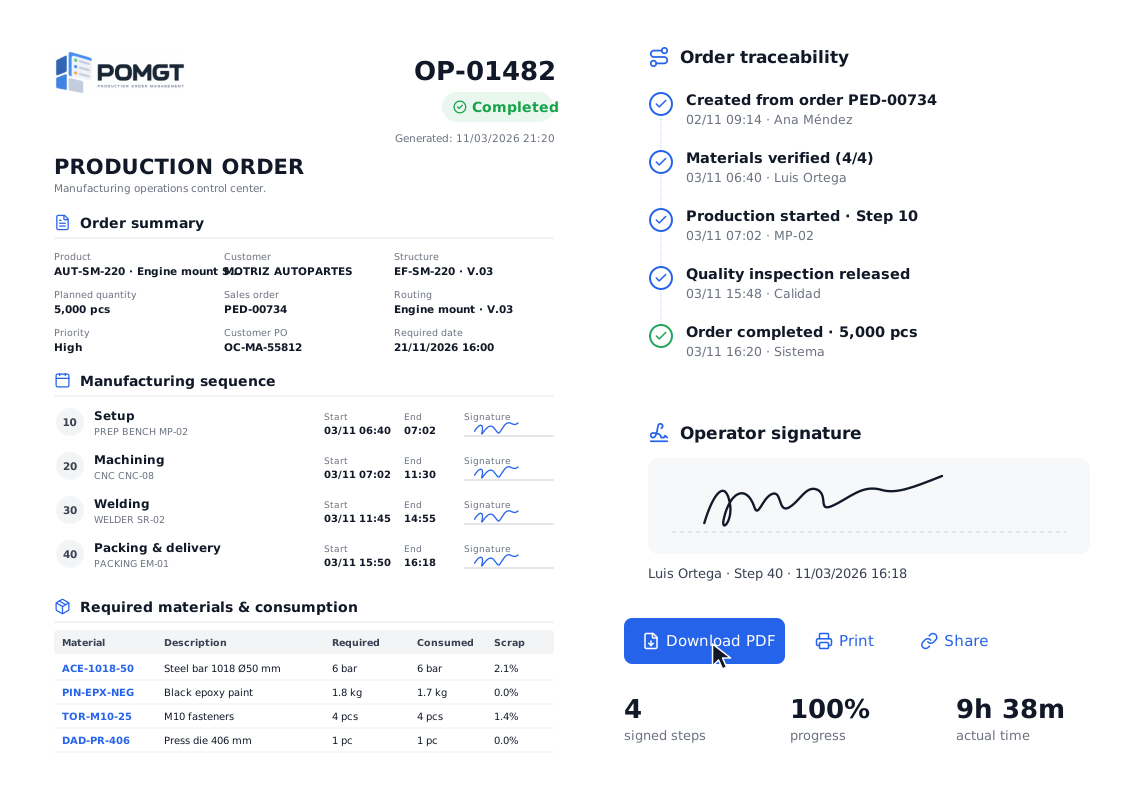
Signed PDF and full traceability.
Questions about the production orders.
Can I create several orders at once?
Yes, “New multiple PO” creates several orders at once, for example from all the lines of a sales order.
Which statuses does an order have?
Draft, Scheduled, Ready, In production, Completed and Blocked, plus each operation’s status: waiting, running or completed.
Does the order know which materials to use?
Yes. It inherits the product’s bill of materials and the routing defines at which step each material type is consumed.
All your production, in one place.
We show you POMGT with your own products, machines and routings. In one call you will see how your plant looks inside the system.